PeerLLM v0.11.0 — Hosts Are Now Clients
I’m excited to announce PeerLLM v0.11.0, a release shaped directly by feedback and ideas from the PeerLLM community.
This version unlocks some of the most requested capabilities to date and moves PeerLLM one step closer to its vision:
a single, decentralized portal for all things LLMs — for hosts and consumers alike.
Below is a breakdown of what’s new:
0/ Hosts Are Now Clients
One of the biggest shifts in this release: Hosts can now act as clients.
You can:
- Chat privately with your local host
- Switch to remote mode and prompt other hosts
- Interact with hosts running the same or entirely different LLMs
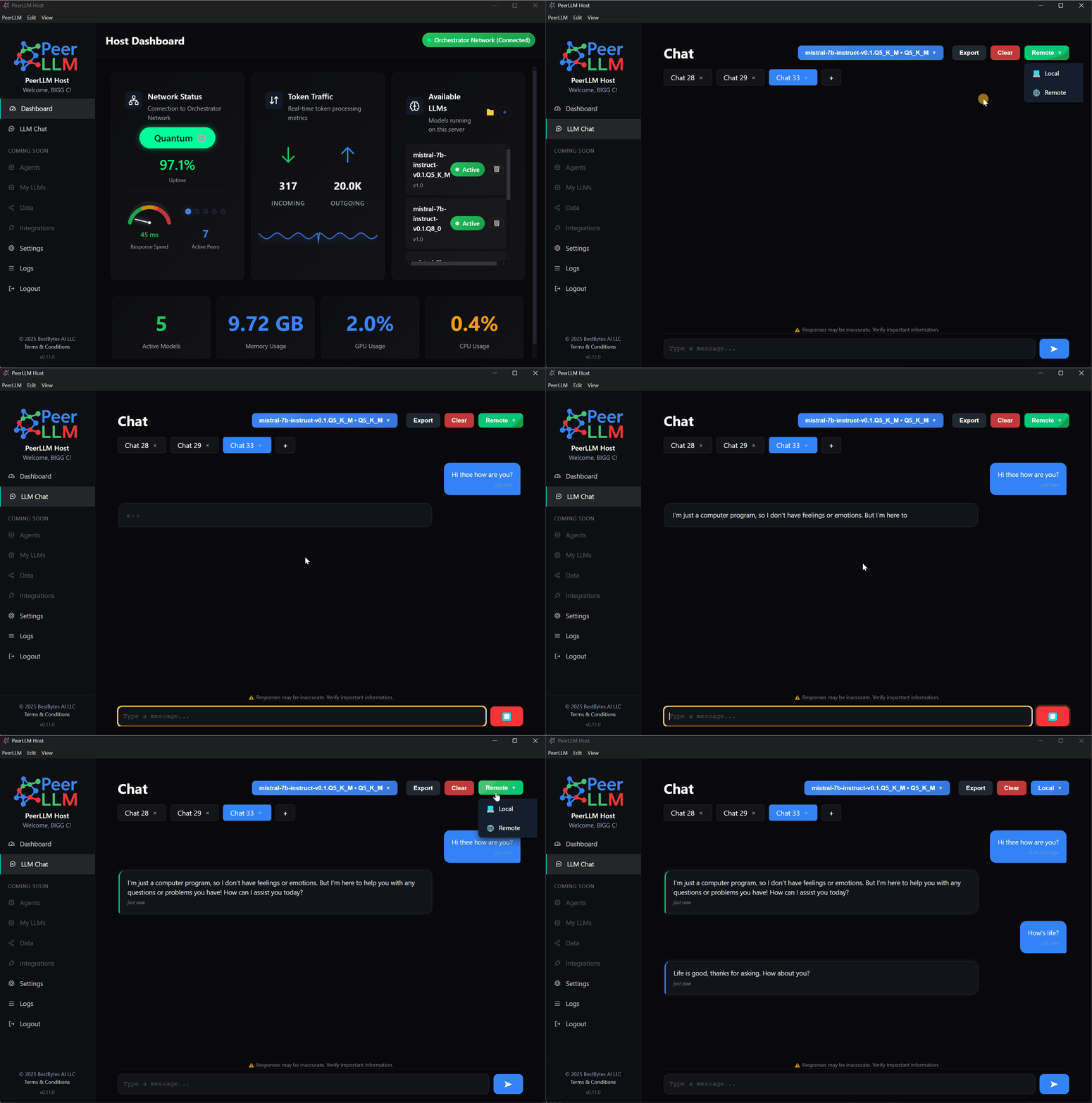
This effectively turns every PeerLLM Host into a universal LLM portal.
Whether you are:
- Hosting models for the network
- Consuming models locally
- Or chatting with remote hosts
👉 PeerLLM becomes a true one-stop-shop for decentralized LLM access.
1/ Secure Remote Pinging with API Keys
Remote host interaction now requires API keys.
To support this, we’ve introduced a full API Key Management experience in the Hosts Portal:
🔗 https://hosts.peerllm.com
From there, you can:
- Generate new API keys
- View existing keys
- Revoke keys instantly
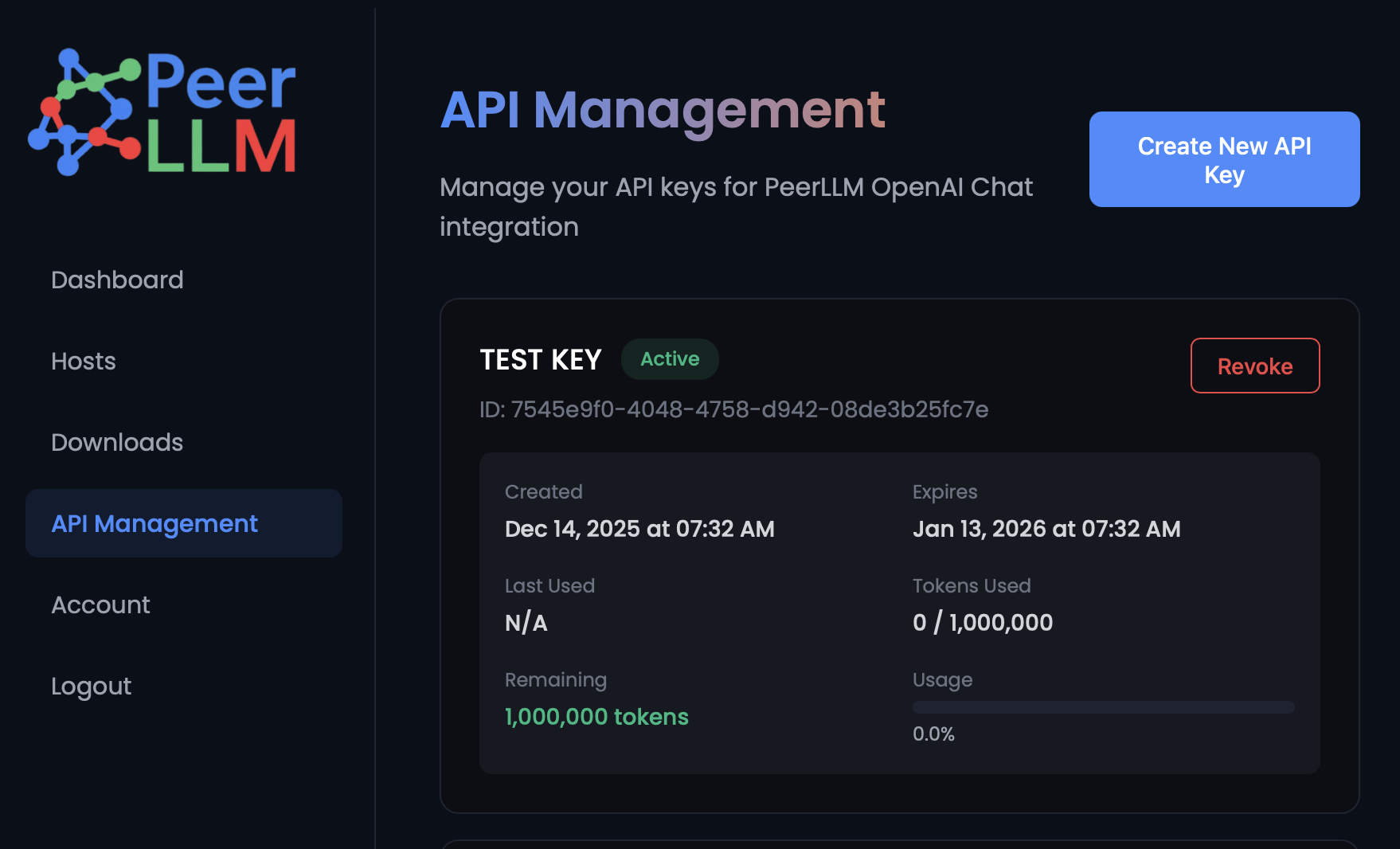
These API keys are OpenAI API–standard compliant, which means they can be used:
- From any compatible client
- From custom apps
- From tools already supporting the OpenAI API format
Security, control, and flexibility — all in one place.
2/ Powerful New Host Settings
A long-awaited Settings area is now live in the Host software.
2.0/ GPU & CPU Control
If you have multiple GPUs or mixed hardware, you can now control exactly how your host handles LLM workloads:
- Fully dynamic (balanced CPU + GPU)
- GPU-only
- CPU-only
- Custom mode
- Manually set the number of GPU layers
- Use
999for 100% GPU utilization
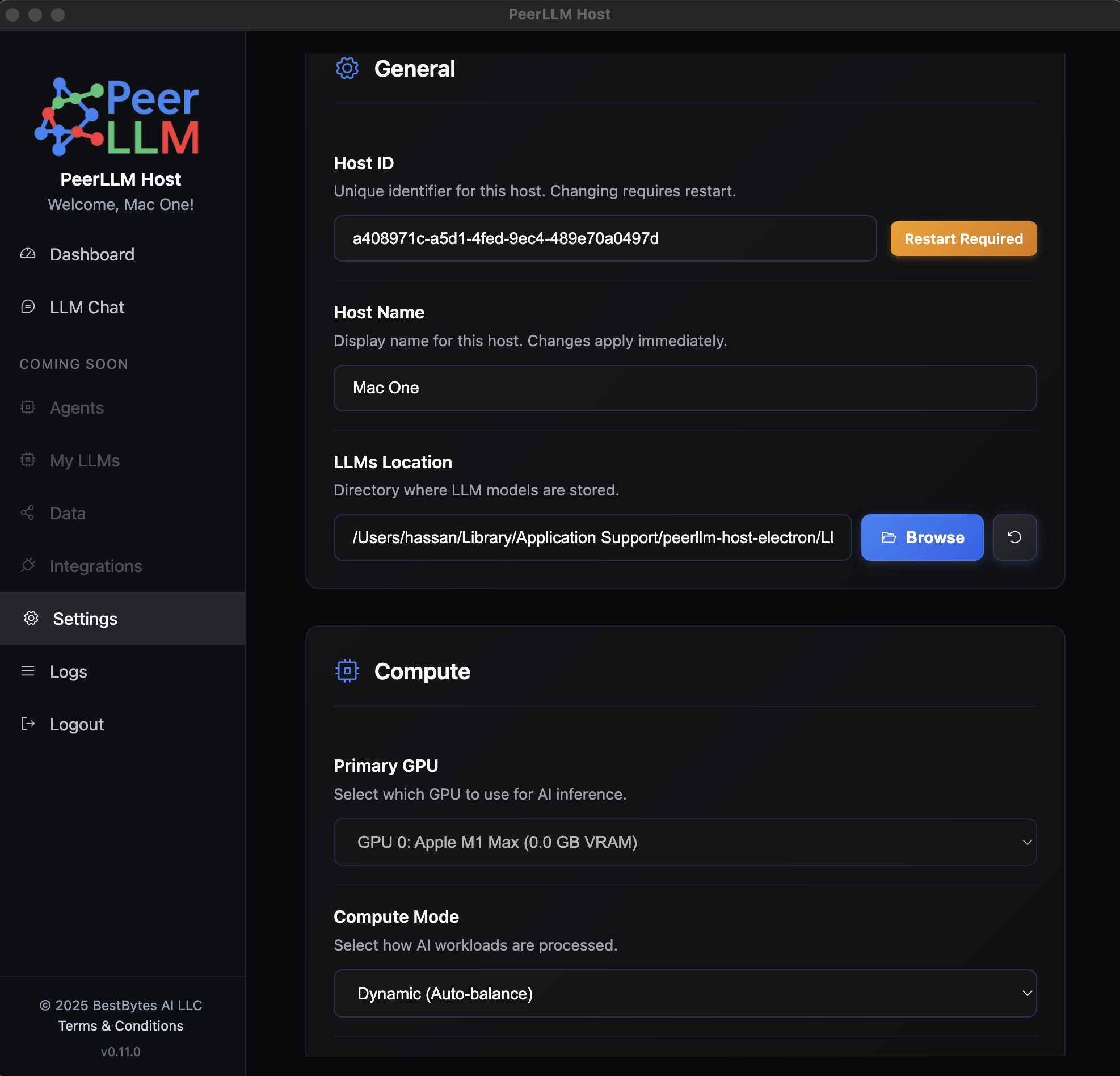
This gives advanced users and power hosts full control over performance tuning.
2.1/ Additional Settings Capabilities
The Settings area also allows you to:
- Assign a Host ID
(requires restart and approval) - Change your Host name
- Configure LLM download locations
(more control over storage and disk usage) - Store API keys for remote chat functionality
Settings is now the central place for configuring how your host behaves, performs, and connects.
3/ More Verbose & Actionable Logs
Logging has been significantly improved.
You can now:
- See all system events
- Track LLM loading and testing details
- Debug issues with much greater clarity
This is especially useful when:
- Testing new models
- Tuning GPU/CPU behavior
- Diagnosing host startup or performance issues
4/ Stability & Reliability Fixes
We’ve also fixed several issues reported by the community, including:
- Login problems
- App restarts
- OS-level restart edge cases
Overall stability should feel noticeably improved in day-to-day use.
5/What This Release Means
With v0.11.0, PeerLLM takes a major step forward:
- Hosts are no longer just infrastructure — they’re first-class clients
- Security and access control are production-ready
- Hardware control is in the hands of the host
- Debugging and transparency are significantly better
As always, thank you to everyone in the PeerLLM community for the ideas, feedback, and testing that made this release possible.
🚀 Download v0.11.0 today from the downloads section in https://hosts.peerllm.com, try the new features, and let us know what you want next.
—
Hassan Habib
Decentralized LLMs, built with the community, for everyone.